Disclosure: This article may contain affiliate links. We may earn a commission at no additional cost to you.
Table of Contents
ToggleAttack Shark X3pro 8K Tri-Mode Mouse Review (2026)
Introduction
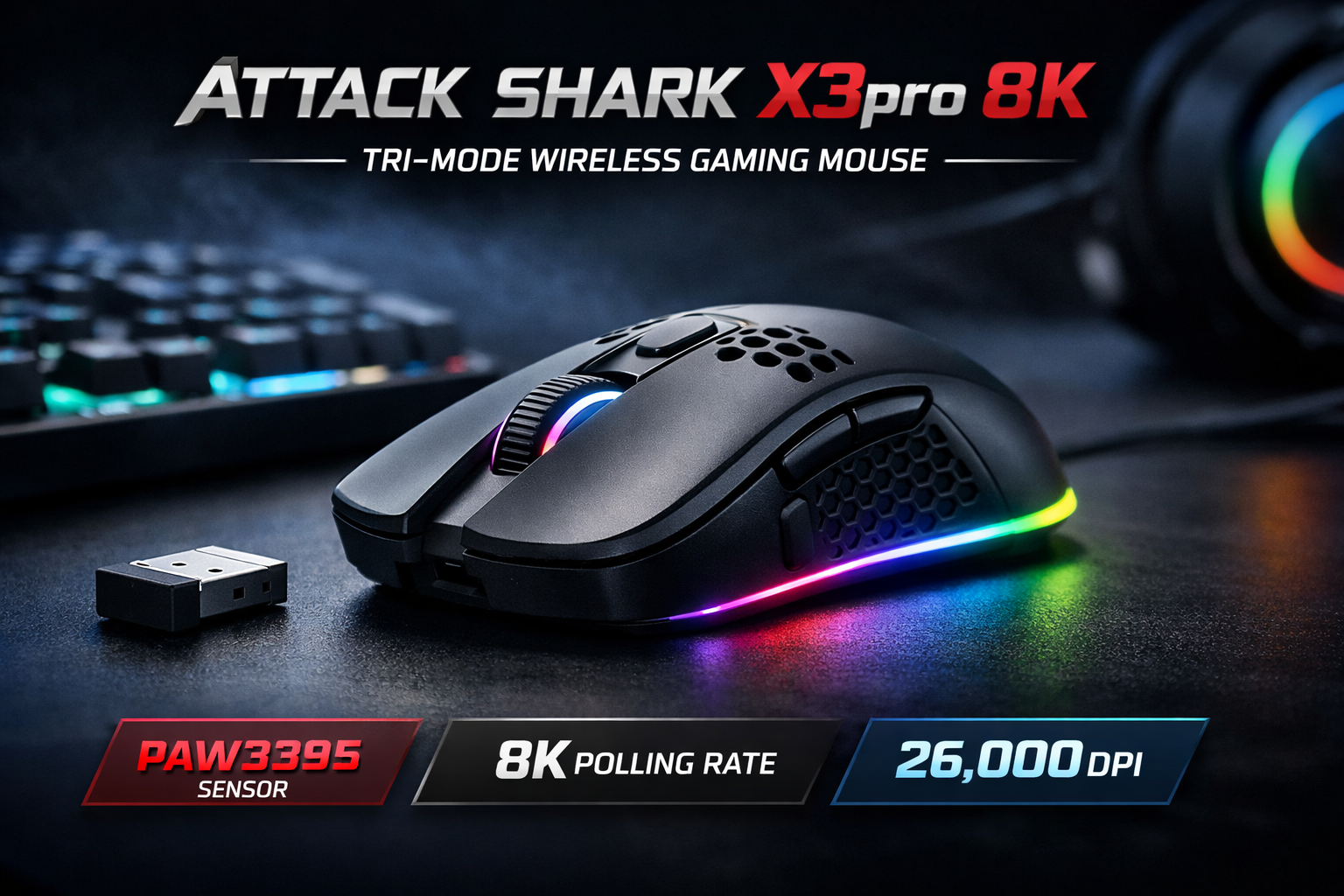
The Attack Shark X3pro is a feature-packed budget gaming mouse that’s intentionally positioned between casual and competitive use. It combines a flagship-class PixArt sensor (PAW3395), tri-mode connectivity (USB-C wired, 2.4 GHz dongle, and Bluetooth), and an ultra-light shell — plus very high DPI and an 8K polling option — all offered at aggressive marketplace prices. This review breaks down what those specs mean in real use and who should actually consider this mouse.
Key specs at a glance
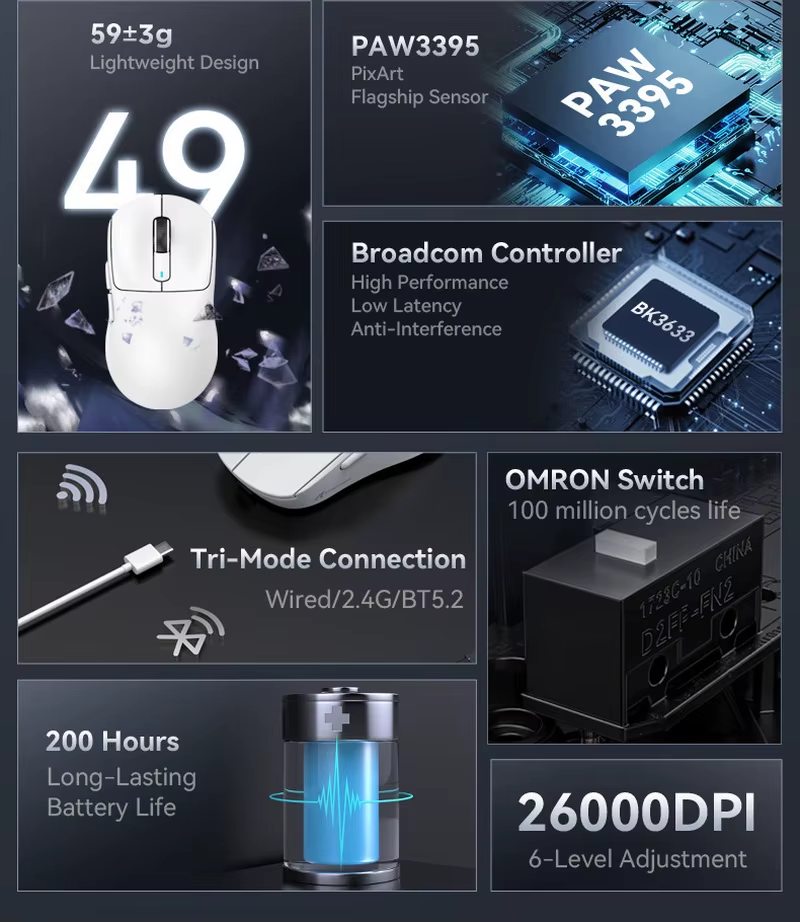
Sensor: PixArt PAW3395 — up to 26,000 DPI (model variants).
Polling: marketed with 8,000 Hz / 8K polling modes on product pages.
Connectivity: Tri-mode — USB-C wired, 2.4 GHz wireless (dongle), and Bluetooth.
Weight: ultra-light class (listed ~49–59 g depending on SKU).
Battery: vendor listings advertise long runtimes (multi-day use; some pages list ~200 hours depending on mode).
Extras: programmable buttons, RGB, software customization in supported SKUs.
Design & build
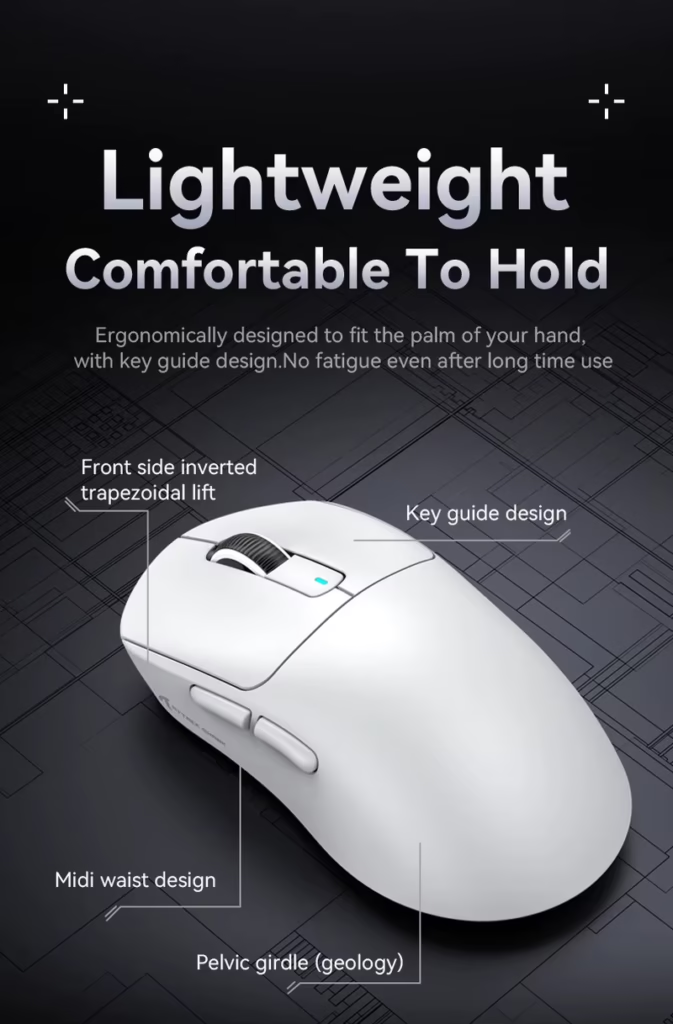
The X3pro uses a compact, ergonomic shell that aims to balance weight savings with durable feel. The outer finish and button profile are typical of modern lightweight mice — good for palm and claw grips for medium hands. Build materials are plastic-forward (as expected at this price), but the overall fit and finish on most SKUs is clean and functional. Some marketplace listings show multiple colorways and graphic styles, which helps the product stand out visually.
.
Tri-mode connectivity: real-world use
Tri-mode is the X3pro’s practical strength.
-
Bluetooth is useful for laptop / multi-device workflows and maximizes battery life for non-gaming use.
-
2.4 GHz dongle is the recommended gaming mode — lower latency and more stable radio than Bluetooth.
-
Wired (USB-C) mode is available for charging and zero-compromise play.
If you switch between devices (laptop for work, desktop for gaming), tri-mode removes friction — just remember to pick 2.4G for competitive sessions and Bluetooth for casual laptop use.
Sensor, DPI & tracking performance
The PAW3395 sensor (marketed in X3pro listings) supports very high DPI, high IPS, and strong acceleration specs on paper. In practice that means the X3pro delivers precise, consistent tracking across typical gaming movements; the sensor class is suitable for most players, including low- and mid-sensitivity FPS players. The PAW3395’s documented capabilities (max DPI ~26k, 650 IPS, 50G accel) make it a technically strong choice for a budget wireless mouse.
Note: some SKUs or manufacturer pages list slightly different numbers (vendors occasionally market different firmware/variant specs), so check the exact model variant before assuming a single spec set.
Polling rate and latency: what “8K” really means
Marketing around 8,000 Hz polling can sound dramatic, but the practical effect depends on firmware, driver support, and whether the host system can utilize such rates. Many users will notice little subjective difference beyond 1,000 Hz for everyday play, but having higher polling available indicates the product targets low-latency use and competitive sensitivity settings. For most buyers, the takeaway is: the X3pro aims to compete with higher-end gear on paper, but actual gains depend on individual setups and firmware maturity.
Buttons, switches & customization
The X3pro advertises long-life mechanical switches (vendor pages reference 80M+ lifespans) and multiple programmable buttons. Click feel and build quality can vary slightly by batch — community feedback shows many users get crisp, reliable clicks while a minority report minor QC variances. Customization (DPI steps, RGB, macro assignment) is generally available via Attack Shark’s software or third-party helpers depending on the SKU.
Battery life & charging
Vendor listings report long battery life (one common claim is ~200 hours under conservative settings). As with any rechargeable mouse, Bluetooth mode and disabled RGB extend runtime, while 2.4 GHz + full RGB will reduce it. Charging via USB-C is convenient and wired play-while-charging support avoids downtime for extended sessions.
Who the X3pro is for — and who should skip it
Good fit if you:
-
Want a single mouse for desktop + laptop use (tri-mode is handy).
-
Value a high-end sensor on a budget (PAW3395 class).
-
Prefer lightweight mice for fast flicks and FPS play without premium prices.
Skip it if you:
-
Require absolute out-of-the-box perfection (some QC variance reported).
-
Are an elite pro who relies on a very specific brand/programming ecosystem.
-
Prefer ultra-premium materials (e.g., magnesium or CNC aluminium shells).
Alternatives to consider
If you want more consistent QA and brand support, mainstream options from bigger manufacturers (Logitech, Razer, SteelSeries) offer stronger long-term service. If budget flexibility is possible, slightly more expensive mice from those brands reduce the risk of occasional QC variance. For buyers set on Attack Shark features, check other X3 family variants and R-series models to match weight/polling needs.
Price note
The Attack Shark X3pro was last seen at around $64 CAD, down by roughly $80 CAD from its previous listed price.
Pros & Cons
Pros
-
Flagship-class sensor (PAW3395) on a budget.
-
Tri-mode connectivity (Bluetooth / 2.4G / wired).
-
Very light — suited for fast flicks.
-
High polling option marketed (8K).
Cons
-
Vendor/SKU variation can cause slightly different specs or feel.
-
Build/finish is budget-grade (plastic shell).
-
Some users report QC variance in community threads.
FAQ (good for FAQ schema)
Q: Is the Attack Shark X3pro suitable for FPS gaming?
A: Yes — the PAW3395 class sensor and lightweight shell make it suitable for casual and many competitive FPS players; elite pros may still choose top-tier brand mice for consistency.
Q: Does it really support 8K polling rates?
A: Product pages market 8K/8000 Hz options on some SKUs; practical benefits depend on firmware and system support.
Q: Can I use it while charging?
A: Most recent Attack Shark models support wired use while charging via USB-C; verify the SKU’s manual.
Conclusion
The Attack Shark X3pro brings ambitious specs to a budget segment: a PAW3395-class sensor, tri-mode connectivity, ultra-light weights, and high polling capabilities. For buyers prioritizing flexibility (laptop + desktop), sensor performance, and low weight without a big premium, it’s a compelling option — provided you accept occasional SKU variability and the usual caveats of budget hardware. If consistent QA and brand support are your top priorities, consider spending slightly more on mainstream brand alternatives.
If you’re comparing different styles, we also reviewed a budget gaming mouse in a separate in-depth guide. Best Wireless Mouse Under $50 – INPHIC Mouse (2026) – GameZHaven