Disclosure: This article may contain affiliate links. We may earn a commission at no additional cost to you.
Table of Contents
ToggleAttack Shark X3 vs Razer Viper V2 Pro: Which Gaming Mouse Wins in 2026?
Choosing between the budget-friendly Attack Shark X3 and the premium Razer Viper V2 Pro? You’re not alone. Both ultralight gaming mice dominate discussions in 2026, but they serve different gamers. This comparison cuts through the marketing noise to help you decide based on your actual needs, grip style, and budget—not hype.
| Model | Sensor | Weight | Best For | Price Tier |
|---|---|---|---|---|
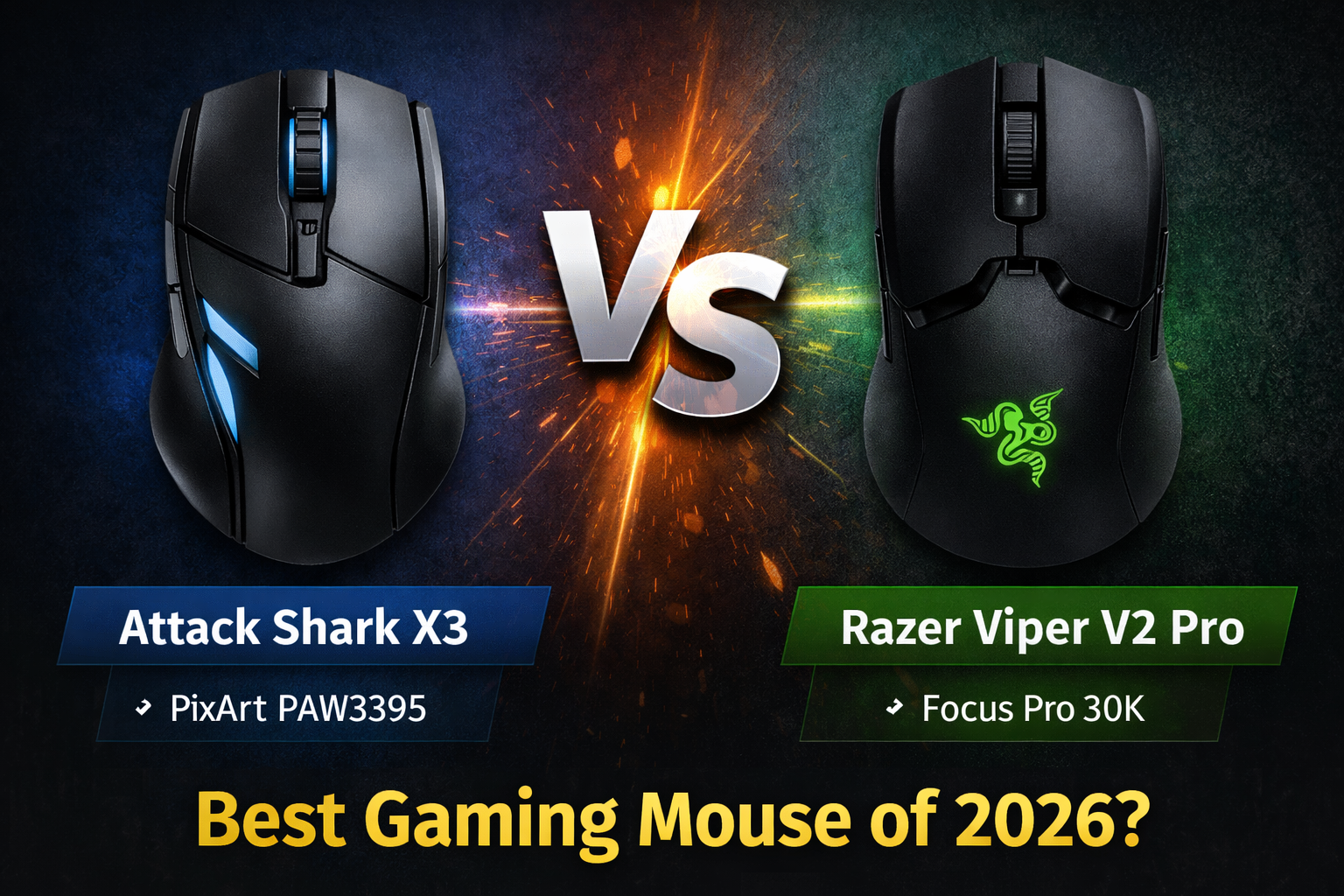
| Attack Shark X3 | PAW3395 | 49g | FPS players on a tight budget | Budget ($40-50) |
| Razer Viper V2 Pro | Focus Pro 30K | 58g | Competitive players wanting top-tier performance | Premium ($140-160) |
Attack Shark X3: The Budget Ultralight Champion
The Attack Shark X3 has taken the budget gaming mouse scene by storm, and for good reason. It packs premium features into a sub-$50 package that frankly shouldn’t be possible in 2026.
Who it’s for: FPS gamers on a strict budget who refuse to compromise on weight and sensor performance. Also ideal for players transitioning from heavy office mice who want to experience ultralight gaming without the premium price tag.
Specs at a glance: PAW3395 flagship sensor (26,000 DPI), 49g weight, honeycomb shell design, flexible paracord-style cable, and Kailh GM 8.0 switches rated for 80 million clicks. The X3 uses a wired connection, keeping latency absolutely minimal while dropping weight dramatically.
Pros: Ridiculous 49g weight feels almost wireless in hand; PAW3395 sensor tracks perfectly even during rapid flicks; cable is among the best stock wires available—minimal drag; Kailh switches provide satisfying tactile feedback with zero double-click issues.
Cons: Honeycomb design collects dust and grime over time; no wireless option if you prefer cable-free setups; build quality, while solid for the price, doesn’t match premium magnesium alloy shells.
Short CTA: Check Attack Shark X3 price on Amazon
Razer Viper V2 Pro: The Refined Premium Performer
Razer’s Viper V2 Pro represents years of refinement in the competitive gaming space. It’s lighter than its predecessor, packs Razer’s best technology, and commands a premium price that enthusiasts gladly pay.
Who it’s for: Competitive players who want the absolute best wireless performance, tournament-level reliability, and don’t mind paying for Razer’s ecosystem and build quality.
Specs at a glance: Focus Pro 30K Optical sensor, 58g weight, Razer Optical Mouse Switches Gen-3 (90 million clicks), 5G hyperpolling support (up to 4000Hz with dongle), and up to 80 hours battery life. The symmetrical ambidextrous shape suits most grip styles.
Pros: Wireless performance indistinguishable from wired with Razer HyperSpeed technology; optical switches eliminate debounce delay and double-click issues forever; 58g weight approaches ultralight territory while maintaining solid shell construction; battery life easily lasts through marathon sessions.
Cons: Price tag sits 3-4x higher than Attack Shark X3; side buttons only on left side (not truly ambidextrous); requires separate dongle for 4000Hz polling; software (Synapse) can feel bloated for some users.
Short CTA: Check Razer Viper V2 Pro price on Amazon
Performance Face-Off: Real-World Gaming
When both mice hit the mousepad, the differences become immediately apparent—but maybe not in the way you’d expect.
Sensor accuracy: Both the PAW3395 and Focus Pro 30K are flawless. You won’t miss shots because of tracking on either mouse. In blind tests, even professional players struggle to tell them apart purely from sensor performance.
Weight and feel: The Attack Shark X3’s 49g feels almost absurdly light. It’s like moving a mouse-shaped shell rather than a mouse. The Viper V2 Pro at 58g still feels ultralight but has more substance. Some players prefer the extra grams for control; others want the X3’s near-weightlessness.
Wireless vs wired: This is the real divider. The Viper V2 Pro’s wireless performance is impeccable—no lag, no interference, no battery anxiety during long sessions. The X3’s cable, while excellent, is still a cable. If wireless freedom matters, the Viper wins by default.
Build quality: Here, the price difference shows. The Viper V2 Pro feels like a precision instrument—zero creaking, perfect clicks, premium coatings. The X3 feels impressive for $40, but side-by-side, the Razer’s refinement is obvious.
Buyer’s Guide: How to Choose
Stick with Attack Shark X3 if: Your budget maxes out under $60, you’re curious about ultralight mice but not ready to invest heavily, or you primarily play fast-paced FPS games where every gram matters and you don’t mind a cable. The X3 delivers 90% of the performance for 30% of the price.
Invest in Razer Viper V2 Pro if: You play at a competitive level where wireless freedom gives you confidence, you want future-proof technology with hyperpolling support, you value build quality and premium materials, or you’re already in the Razer ecosystem. The Viper V2 Pro is an investment in reliability.
Consider your grip style: Both mice suit claw and fingertip grips well. Palm grippers with larger hands may prefer the Viper’s slightly fuller shape. The X3’s lower profile favors aggressive claw grip styles.
Frequently Asked Questions
Is the Attack Shark X3 good for FPS games?
Yes, the Attack Shark X3 excels in FPS titles. The 49g weight allows lightning-fast flicks and tracking, while the PAW3395 sensor provides flawless accuracy. It’s particularly strong in games like Valorant, CS2, and Apex Legends where quick target acquisition matters.
Does the Razer Viper V2 Pro have double-click issues?
No, the Viper V2 Pro uses Razer’s 3rd-gen optical switches, which activate using light beams rather than physical metal contacts. This design completely eliminates the possibility of double-clicking issues that plague traditional mechanical switches over time.
Which mouse has better software?
Razer Synapse offers more features but can feel overwhelming and resource-heavy. Attack Shark’s software is simpler and lighter but provides all essential functions like DPI adjustment, polling rate changes, and macro programming. For most gamers, both get the job done.
Can the Attack Shark X3 compete with premium mice?
In raw performance metrics—sensor accuracy, click latency, weight—yes, the X3 genuinely competes. Where it falls short is wireless capability, build material quality, and long-term durability testing. For the price difference, it’s remarkably competitive.
Is 4000Hz polling worth it on the Viper V2 Pro?
For competitive players with high-refresh-rate monitors (240Hz+), 4000Hz polling can provide marginally smoother motion. Most players won’t notice the difference from 1000Hz, but esports enthusiasts chasing every advantage may appreciate the option. The X3’s 1000Hz polling remains perfectly capable.
Which mouse has better battery life?
The Razer Viper V2 Pro offers up to 80 hours on a single charge at 1000Hz polling. The Attack Shark X3 is wired, so battery life isn’t a consideration—it’s always ready when your PC is on.
Final Verdict
The Attack Shark X3 vs Razer Viper V2 Pro matchup isn’t really about which mouse is “better”—it’s about which better fits your priorities.
The Attack Shark X3 is the smart choice for budget-conscious gamers who want flagship sensor performance and ultralight weight without the premium price tag. It proves you don’t need to spend $150 to compete.
The Razer Viper V2 Pro is the refined choice for players who want wireless freedom, impeccable build quality, and the confidence of tournament-proven technology. It’s an investment in your setup that will last for years.
Choose based on your budget and whether wireless freedom matters to you. Either way, you’re getting a mouse capable of elite-level performance.
For more detailed specifications and the latest updates on the Attack Shark X3, you can visit the official Attack Shark product page here.
To explore Razer’s full tech specs, software downloads, and warranty information for the Viper V2 Pro, head to the official Razer product page here.
If you’re new to ultralight mice, check our Attack Shark X3 Software Guide for setup tips and DPI optimization.
For a deeper look at Razer’s premium offering, read our full Razer Viper V2 Pro Review covering battery life and 4000Hz testing.