Disclosure: This article may contain affiliate links. We may earn a commission at no additional cost to you.
Table of Contents
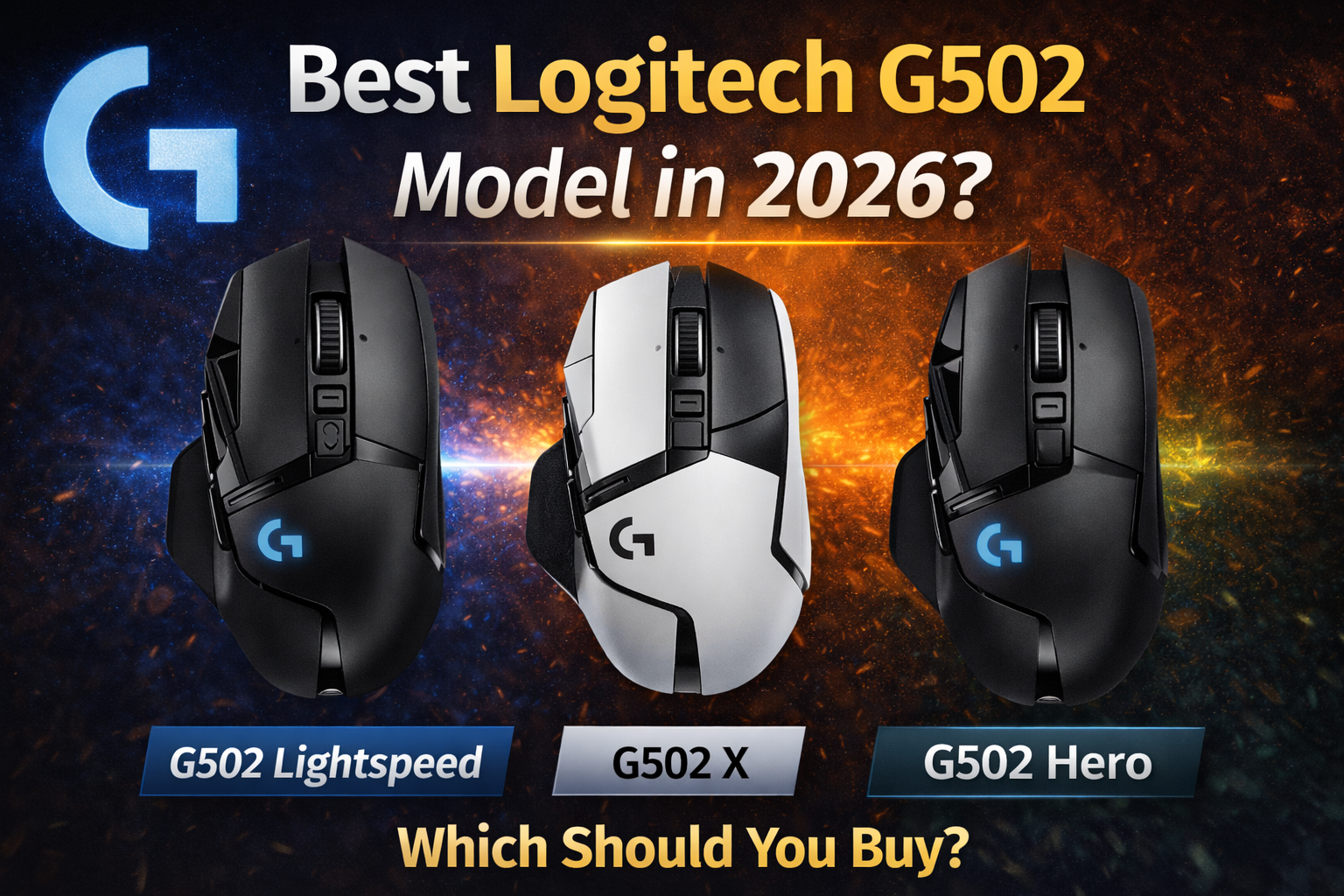
ToggleBest Logitech G502 Model 2026: Hero vs X vs Lightspeed vs Plus
The Logitech G502 is one of the most iconic gaming mice of all time, but in 2026, the lineup is more confusing than ever. Should you buy the classic Hero, the updated G502 X, the wireless Lightspeed, or the fully-loaded Plus? With four distinct models ranging from wired budget options to premium RGB-heavy wireless mice, choosing the right one depends on your grip style, need for wireless freedom, and budget. This guide breaks down every G502 model available in 2026 so you can find your perfect match.
Quick Comparison: All Logitech G502 Models in 2026
| Model | G502 Hero | G502 X (Wired) | G502 X Lightspeed | G502 X Plus |
|---|---|---|---|---|
| Connection | Wired | Wired | Wireless (LIGHTSPEED) | Wireless (LIGHTSPEED) |
| Weight | 121g | 89g | 99.7g | 106g |
| Switch Type | Mechanical | LIGHTFORCE Hybrid | LIGHTFORCE Hybrid | LIGHTFORCE Hybrid |
| RGB Lighting | Yes (Logo) | No | No | Yes (Full 8-LED) |
| Adjustable Weights | Yes | No | No | No |
| Programmable Buttons | 11 | 13 | 13 | 13 |
| Battery Life | N/A (Wired) | N/A (Wired) | ~140 hrs | 120 hrs (no RGB) / 37 hrs (RGB) |
| Sensor | HERO 25K (25,600 DPI) | HERO 25K | HERO 25K | HERO 25K |
| Best For | Budget, adjustable weight lovers | Lightweight wired performance | Battery life priority | RGB enthusiasts |
| Price Range | ~$45-50 | ~$65-70 | ~$100-110 | ~$105-115 |
Data compiled from detailed comparison tables and retailer listings .
Logitech G502 Hero: The Classic Legend
The G502 Hero is the model that started it all—updated with modern sensors but retaining the classic features that made the G502 famous.
Who it’s for: Budget-conscious gamers who love the original G502 formula. It’s also the only model that still features the adjustable weight system, letting you customize the balance from 0g to 27g of added tuning weights . This is perfect for players who want a heavier, more substantial feel.
Key specs: HERO 25K sensor (100-25,600 DPI), 11 programmable buttons , mechanical switches, RGB lighting on the logo, and the iconic dual-mode scroll wheel that switches between clicky and free-spin modes .
Pros: Most affordable G502 option at ~$45-50 ; adjustable weight system for personalized feel ; proven durability and shape; excellent for MMO gaming with 11 programmable buttons .
Cons: Heaviest in the lineup at 121g ; uses older mechanical switches; wired only.
Short CTA: Check G502 Hero price on Amazon
Logitech G502 X (Wired): The Modern Refresh
The G502 X represents Logitech’s first major redesign of the classic formula. It keeps the iconic shape but strips away unnecessary weight and introduces new hybrid switches.
Who it’s for: Gamers who want a lighter wired mouse with the latest technology. If you love the G502 shape but wished it weighed less, this is your answer.
Key specs: Weighs just 89g—a massive 32g lighter than the Hero . Features new LIGHTFORCE optical-mechanical hybrid switches that combine the speed of optical with the satisfying click of mechanical . 13 programmable buttons and the same dual-mode scroll wheel.
Pros: Significantly lighter than Hero; LIGHTFORCE switches feel snappy and reliable; retains all essential G502 features ; excellent price-to-performance ratio at ~$65-70 .
Cons: No adjustable weights; no wireless option; no RGB lighting (if that matters to you).
Short CTA: Check G502 X price on Amazon
Logitech G502 X Lightspeed: The Wireless Workhorse
The G502 X Lightspeed brings the modernized G502 X design into the wireless realm, focusing on pure performance and maximum battery life.
Who it’s for: Gamers who want wireless freedom without RGB distractions, prioritizing battery life above all else. Perfect for marathon gaming sessions and LAN parties.
Key specs: Weighs 99.7g—remarkably light for a wireless mouse with this feature set . Features LIGHTSPEED wireless with 68% faster response time than previous generations . The battery lasts an incredible 140 hours at 1kHz polling . HERO 25K sensor and 13 programmable buttons.
Pros: Insane 140-hour battery life; LIGHTSPEED wireless is indistinguishable from wired ; lightweight for a wireless feature-packed mouse; tournament-tested reliability .
Cons: No RGB (if you want lighting); premium price at ~$180-190 ; uses proprietary micro-USB (older connection type) .
Short CTA: Check G502 X Lightspeed price on Amazon
Logitech G502 X Plus: The RGB Flagship
The G502 X Plus is the ultimate expression of the G502 line—everything you could want in a gaming mouse, including the most striking RGB implementation Logitech has ever created.
Who it’s for: Gamers who want it all: wireless freedom, the latest technology, and eye-catching RGB lighting. Also ideal for streamers who want their setup to look as good as it performs.
Key specs: Weighs 106g . Features a stunning 8-LED LIGHTSYNC RGB strip that runs through the mouse’s midsection, creating immersive lighting effects that react to games . Battery life is 120 hours with RGB off, or 37 hours with full RGB effects .
Pros: Most visually striking gaming mouse on the market ; full wireless freedom; all the latest G502 X features (LIGHTFORCE switches, HERO 25K); G HUB integration for advanced lighting control ; supports POWERPLAY wireless charging .
Cons: Heaviest wireless option at 106g; significantly reduced battery life with RGB on; premium price tag (~$200) .
Short CTA: Check G502 X Plus price on Amazon
Buyer’s Guide: How to Choose Your G502
Choose G502 Hero if:
-
You’re on a tight budget (~$45)
-
You love the adjustable weight system (only model with this feature)
-
You don’t mind a wired connection
-
You prefer the classic, heavier feel (121g)
Choose G502 X (Wired) if:
-
You want the lightest G502 possible at 89g
-
You prefer wired for zero battery anxiety
-
You want the new LIGHTFORCE switches
-
You’re a budget-conscious buyer who still wants modern tech (~$65)
Choose G502 X Lightspeed if:
-
You want maximum battery life (140 hours)
-
Wireless freedom is essential
-
You don’t care about RGB
-
You’re willing to pay for premium wireless performance (~$100-110)
Choose G502 X Plus if:
-
You want the best RGB implementation available
-
You want wireless + all the features
-
You’re a streamer or care about aesthetics
-
You have POWERPLAY and want wireless charging
-
Budget is less of a concern (~$105-115)
Which Games Suit Which G502?
| Game Type | Best G502 Model | Why |
|---|---|---|
| FPS (Valorant, CS2) | G502 X (Wired) | Lightest weight for flick shots, wired for zero latency |
| MMO / MOBA | G502 Hero or G502 X Plus | Maximum programmable buttons (11-13) for macros |
| Battle Royale | G502 X Lightspeed | Wireless freedom + long battery life for long sessions |
| Casual / Variety | G502 X Plus | Best all-rounder with RGB for aesthetic enjoyment |
| Competitive Tournaments | G502 X Lightspeed | Wireless freedom + they let you use it |
Frequently Asked Questions
Which G502 model has adjustable weights?
Only the G502 Hero features the adjustable weight system with 5 removable 3.6g weights . The G502 X series removed this feature to achieve lighter overall weights.
What’s the difference between G502 X Lightspeed and G502 X Plus?
The G502 X Plus adds an 8-LED RGB lighting strip through the midsection and weighs slightly more (106g vs 99.7g). The G502 X Lightspeed has no RGB and prioritizes battery life (140 hours vs 37 hours with RGB on) .
Is the G502 Hero still worth buying in 2026?
Yes, absolutely. At ~$45, it’s an incredible value. The HERO 25K sensor is still top-tier, and the adjustable weight system is unique to this model. It’s heavier than newer options, but many gamers prefer that substantial feel .
Which G502 is best for MMO gaming?
All G502 models work well, but the G502 Hero and G502 X Plus are excellent choices. The Hero offers 11 programmable buttons at a budget price, while the Plus offers 13 buttons plus wireless freedom . Brazilian reviewers specifically highlight the G502 Hero for MMOs due to its programmable buttons and adjustable weights .
Does the G502 X Lightspeed use USB-C?
No, it uses a proprietary micro-USB connector. This is a common criticism, as you cannot use standard USB-C cables . The mouse charges via the included cable, which connects to USB-A on the other end.
Can I use G502 models with POWERPLAY wireless charging?
Yes, both the G502 X Lightspeed and G502 X Plus are compatible with Logitech’s POWERPLAY wireless charging mouse pad . The G502 Hero and G502 X (wired) do not support wireless charging.
Which G502 has the best click feel?
The G502 X series with LIGHTFORCE optical-mechanical hybrid switches offer a crisp, reliable feel that many reviewers prefer over the Hero’s traditional mechanical switches . They combine optical speed with mechanical tactility.
Once you’ve chosen your G502, our Logitech G Hub Guide shows you how to program macros, adjust DPI, and customize RGB lighting for your new mouse.