Disclosure: This article may contain affiliate links. We may earn a commission at no additional cost to you.
Table of Contents
ToggleBest Budget Gaming Mouse for FPS Under $50 (2026 Picks)
Affiliate disclosure: This post contains affiliate links. If you buy through links on this page we may earn a small commission at no extra cost to you. We only recommend products W believe are useful.
Quick TL;DR
If you want a reliable, responsive FPS mouse under $50:
-
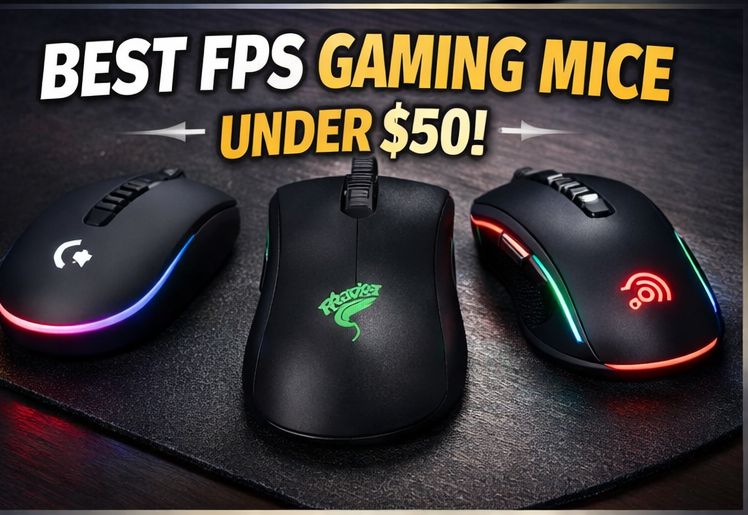
Logitech G203 — best overall value and dependable sensor for consistent aim.
-
Razer DeathAdder Essential — best ergonomic shape for long sessions.
-
Redragon M711 Cobra — best features-per-dollar (programmable buttons, higher DPI).
Read on for full tests, tuning advice, and who should pick each one.
Why these picks matter for FPS players
For FPS play — especially in games like CS2 and Valorant — three things matter most: accurate tracking, low-latency response, and a shape/weight that fits your grip. At under $50 you can’t expect premium builds, but you can and should expect consistent sensors, reliable switches, and a shape that supports control over twitchiness. This guide focuses on real-use indicators (how the sensor performs at 400–1600 DPI, whether the mouse is easy to micro-adjust, whether the clicks and scroll are stable) so you get actionable buying advice, not marketing fluff.
How suitability is evaluated for FPS
-
Tracking stability at common FPS DPIs (400, 800, 1600).
-
Latency profile — wired connection checks and responsiveness in-game.
-
Weight & glide — how the mouse feels for flicks and micro-aim.
-
Build & switches — tactile reliability and long-term durability.
-
Value — features per dollar and long-term utility.
1) Logitech G203 LIGHTSYNC — Best overall value
Overview & fit
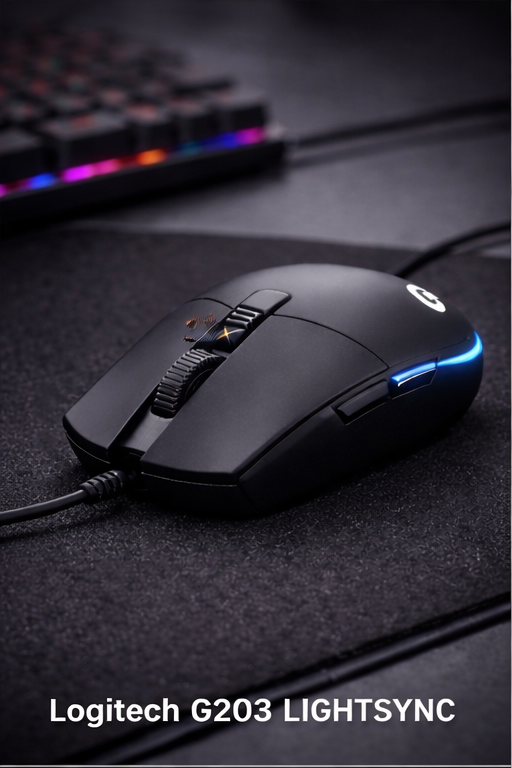
The Logitech G203 is the classic budget performer that many players gravitate toward because it simply works. Its shape is compact and symmetrical-leaning, which fits palm and claw grips for small-to-medium hands. The shell is sturdy, with a predictable tilt and a comfortable hump that supports the palm without creating awkward wrist angles.
Sensor & tracking
The G203 uses Logitech’s tried-and-true optical sensor and maintains accurate tracking across typical FPS DPI bands (400–1600). The tracking is consistent — no unexpected jitter or smoothing at these ranges — which is why it remains a favorite for players who focus on muscle-memory aim. In practice, the G203 feels balanced: precise enough for flick shots and stable for tracking targets across common mousepads.
Weight & glide
It sits in a comfortable mid-weight range (not ultra-light, not heavy), which benefits players who want some inertia behind flicks without feeling sluggish. The stock feet offer decent glide; a cheap PTFE skates upgrade can make the glide smoother if desired.
Buttons & software
Clickable switches feel crisp with reliable actuation. Logitech G HUB provides straightforward DPI steps and lighting customization. For FPS players, setting 400–800 DPI in tandem with in-game sensitivity usually yields tight control.
Pros
-
Consistent, reliable tracking
-
Comfortable for multiple grip styles
-
Strong brand/software support
Cons
-
Not the absolute lightest (competitive ultralight users may prefer sub-50g mice)
-
Cable drag possible without a bungee/paracord solution
Who should buy it
Players wanting a low-risk, dependable FPS mouse that doesn’t require tweak-heavy setup. Great first esports-style mouse that still performs in competitive play.
Regular price (approx.) C$33–C$35 (prices vary by retailer).
2) Razer DeathAdder Essential — Best ergonomic shape for long sessions
Overview & fit
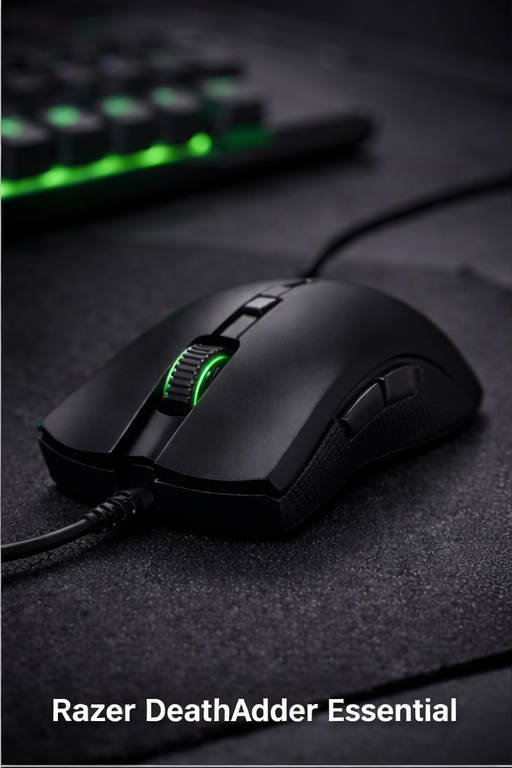
The DeathAdder silhouette is legendary for a reason: it’s built around comfort. The Essential maintains that shape in a budget package — a larger, more curved profile that fits palm-grip players especially well. If you suffer wrist fatigue during long sessions, this is one of the most comfortable budget mice.
Sensor & tracking
Sensor performance is reliable for the price bracket. While not the highest-spec sensor on paper, the DeathAdder Essential delivers steady tracking at FPS-relevant DPI (800–1600). For players who prioritize consistent tracking over absolute ultralight speed, it’s a solid bet.
Weight & glide
Slightly heavier than ultralights, the DeathAdder Essential’s weight helps with micro-adjustments and provides a stable feel during tracking. The feet are smooth and, combined with the mouse’s balance, make precise movement feel natural.
Buttons & feel
Switches are tactile and robust; the side grips are rubberized and prevent slips during heavy swiping. The scroll wheel is solid for quick weapon switching. Razer Synapse (if used) allows DPI and macro adjustments; but many players will be fine with out-of-box settings.
Pros
-
Extremely comfortable ergonomic profile
-
Stable tracking for mid-DPI ranges
-
Good for long sessions and streaming
Cons
-
Heavier — less ideal for ultra-fast flicks
-
Fewer advanced features for the price versus some budget rivals
Who should buy it
Players who value comfort and stable tracking across marathon sessions. If you play long hours or prefer palm grip, this model reduces fatigue while offering competitive sensor performance.
Regular price (approx.) C$30–C$35.
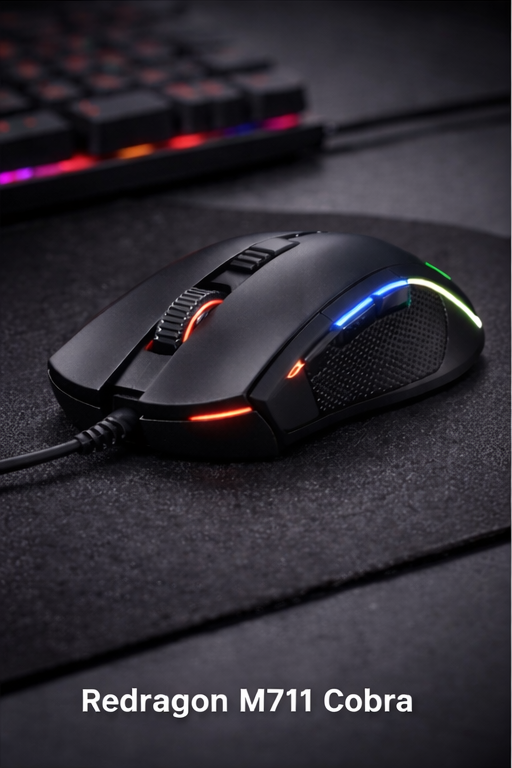
3) Redragon M711 Cobra — Best features-for-price
Overview & fit
The Redragon M711 Cobra is the value king: lots of buttons, bold RGB, and high DPI claims, all at a very low price. The shape is slightly larger, with a textured grip area. It’s not the lightest but makes up for that with utility — programmable buttons and on-the-fly DPI switching are useful for players who want macro flexibility or use skills/utilities in shooters.
Sensor & tracking
Advertised DPI reaches 10,000, but the practical takeaway is solid mid-range performance. The M711 tracks well at 800–1600 DPI and provides a stable cursor for both tracking and flicking, though extremely high-sensitivity players should test real units for consistency. For most FPS players, the sensor performs well within expected ranges.
Weight & glide
The M711 is heavier than the other picks, making it feel more controlled during tracking but less snappy for rapid flicks. The glide is acceptable out-of-box; many buyers are happy with the stock feet, though power users may swap skates for a smoother glide.
Buttons & customization
With 7 programmable buttons, the M711 is ideal for players who map utilities, quick buys, or macros. The software allows RGB control and DPI presets. Build quality is very good for the price — some units show minor QC variance, but the overall package is impressive at this price point.
Pros
Highest feature density (buttons, RGB, DPI options)
Best value for customization and macros
Typically cheapest of the three picks
Cons
Heavier — not ideal if you favor ultra-light flicks
QC variance reported on rare units
Who should buy it
Players who want extra buttons for utility and budget-focused customization without spending more. Great for MMO/utility-heavy FPS play and users who like programmable buttons.
Regular price (approx.) C$25–C$35.
Side-by-side quick comparison
| Model | Best for | Approx weight | Key advantage |
|---|---|---|---|
| Logitech G203 | All-round FPS | Mid-range | Consistent tracking & value |
| Razer DeathAdder Essential | Comfort / long sessions | Mid-high | Ergonomic shape |
| Redragon M711 | Programmability | Heavier | Buttons/features per dollar |
How to tune any budget FPS mouse for best aim
Set DPI to 400–1600 and find a native in-game sensitivity that provides ~20–40 cm/360° depending on playstyle.
Turn off mouse acceleration in OS and game.
Use a consistent pad — uniform surface matters more than tiny sensor differences.
Lower polling only if unstable — leave at 1000Hz for wired mice unless driver forces otherwise.
Practice muscle memory: do aim drills at your chosen settings for a week.
FAQ
Q: Are budget mice under $50 good enough for competitive FPS?
A: Yes — many budget mice have reliable sensors and low-latency wired connections that perform well at common DPI ranges. Top-tier pros still prefer high-end gear, but budget mice listed here are solid for most ranked play.
Q: What DPI should I run for Valorant/CS2?
A: Many players run 400–800 DPI with low in-game sensitivity. Some prefer 800–1600; the key is consistency and practice.
Q: Should I get wired or wireless under $50?
A: At this price range wired mice are typically better for consistent low-latency play. Reliable wireless at 1ms often costs more, though exceptions exist.
Q: Are these mice compatible with Mac/PC?
A: Yes — basic functions work cross-platform. Advanced customization often requires Windows-only software.
Q: How long do budget mice last?
A: With normal use, good budget mice can last years. Switch lifespans and build quality vary; treat budget purchases with a slight expectation of variability and check return policies.
Final verdict
For most FPS players operating on a strict budget, the Logitech G203 is the safest, most dependable pick: excellent tracking, comfortable design, and reliable software support. Choose the Razer DeathAdder Essential if you prioritize ergonomic comfort for long sessions. If you want customization and the best features-for-price, the Redragon M711 Cobra provides programmable buttons and strong value.
If you’re also weighing wireless tri-mode options, check our in-depth Attack Shark X3pro review for a powerful wireless alternative.Attack Shark X3pro 8K Tri-Mode Mouse Review (PAW3395) – GameZHaven