Disclosure: This article may contain affiliate links. We may earn a commission at no additional cost to you.
Table of Contents
ToggleTop 5 Best Gaming Mice Under $40 CAD
Introduction
A good gaming mouse doesn’t need to be expensive to be reliable. In the under $40 CAD range, there are several options that offer accurate sensors, solid build quality, and features that suit both casual and competitive gaming. Whether you play FPS titles, MMOs, or just want a responsive mouse for everyday use, budget gaming mice have improved significantly in recent years. In this guide, we’ve selected five of the best gaming mice under $40 CAD that balance performance, comfort, and value. Each pick is suited to a different type of user, so you can choose the option that best fits your playstyle and setup.
1. Redragon M908 Impact RGB Gaming Mouse
Best for MMO and macro-heavy gaming
The Redragon M908 Impact is designed with MMO players and users who rely heavily on macros in mind. Its defining feature is the set of 12 programmable side buttons, which allow for extensive customization and quick access to abilities, skills, or shortcuts. For players who juggle multiple commands, this mouse offers excellent control without constantly reaching for the keyboard.
The M908 uses a laser sensor capable of up to 12,400 DPI, which is more than enough for most gaming scenarios. DPI levels can be adjusted on the fly, making it easy to switch between fast movement and precise aiming. While laser sensors are less popular than optical ones for competitive FPS gaming, they work well for MMOs, strategy games, and general use.
In terms of build quality, the mouse feels solid and well-balanced, though it is heavier than typical FPS-focused mice. The weight contributes to stability but may not appeal to players who prefer ultra-light designs. The RGB lighting is customizable through Redragon’s software and adds a subtle visual touch without being distracting.
Pros
- 12 programmable side buttons
- Excellent macro support
- Comfortable for long gaming sessions
- Customizable RGB lighting
Cons
- Heavier than average
- Not ideal for fast-paced FPS play
2. INPHIC Wireless Gaming Mouse (Tri-Mode)
Best wireless gaming mouse under $40 CAD
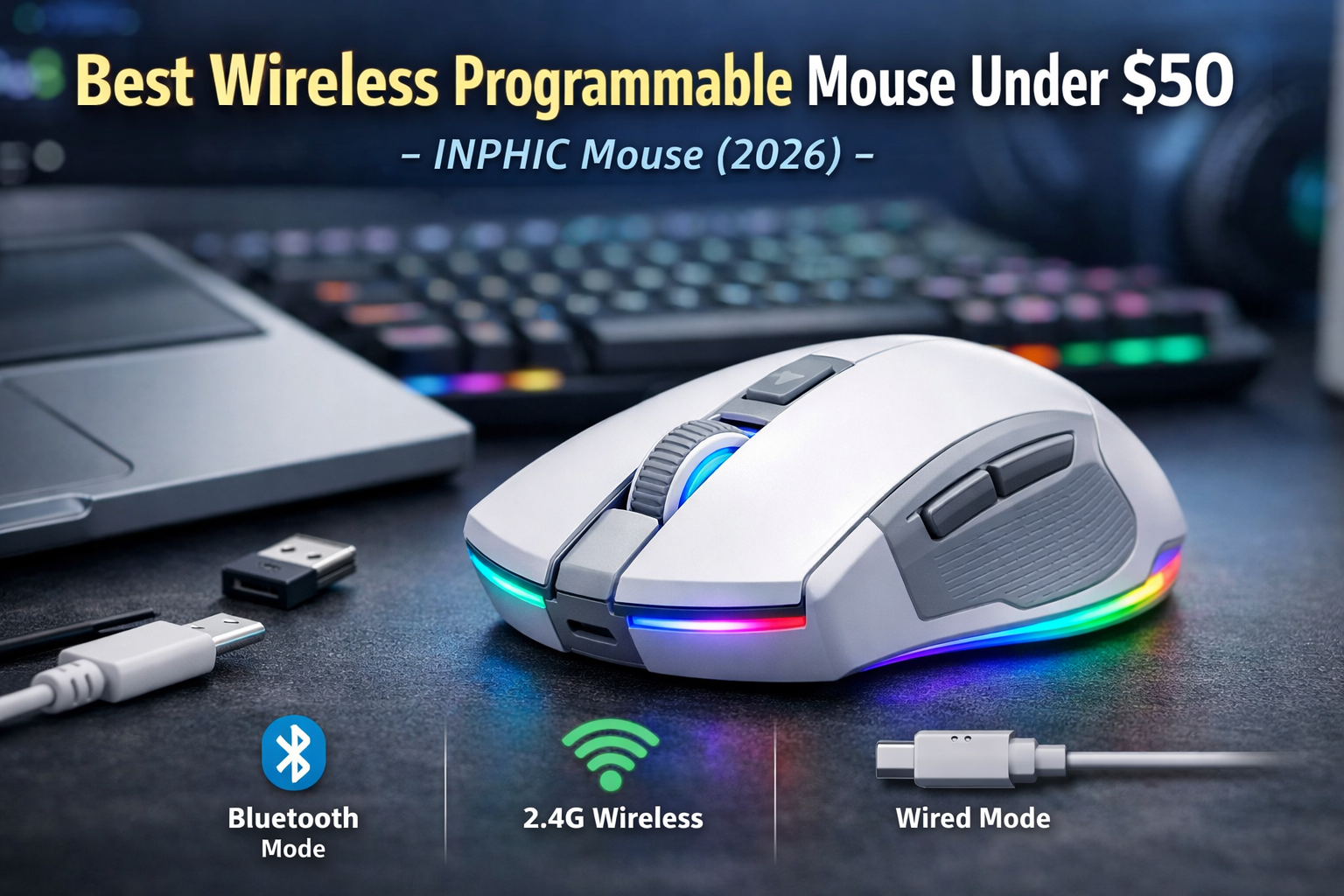
The INPHIC tri-mode wireless gaming mouse stands out for its versatility. It supports Bluetooth, 2.4G wireless, and wired Type-C connections, making it compatible with laptops, desktops, and even tablets. This flexibility is especially useful for users who switch between devices or want a clean, cable-free setup.
With a maximum DPI of 10,000, the mouse provides more than enough sensitivity for casual and moderate competitive gaming. The sensor performs well in everyday gaming scenarios, and DPI adjustments allow you to fine-tune performance based on your preferences.
The lightweight design makes it comfortable for extended use, and the rechargeable battery helps reduce clutter from disposable batteries. RGB lighting is present but subtle, fitting well in minimalist setups. While this mouse may not match premium wireless gaming mice in sensor precision, it offers excellent value for its price range.
Pros
- Tri-mode connectivity (Bluetooth, 2.4G, wired)
- Rechargeable battery
- Lightweight and portable
- Clean, modern design
Cons
- Not ideal for high-level competitive FPS
- Software customization is limited
3. Logitech G203 Wired Gaming Mouse
Best overall value and sensor accuracy
The Logitech G203 is one of the most consistently recommended budget gaming mice, and for good reason. It features Logitech’s proven optical sensor with up to 8,000 DPI, delivering reliable tracking and consistent performance across different games.
This mouse is particularly well-suited for FPS players who prioritize precision and responsiveness. The lightweight design allows for quick movements, and the symmetrical shape works well for most grip styles, including claw and fingertip grips.
Logitech’s LIGHTSYNC RGB lighting is clean and customizable, and the onboard memory lets you save profiles directly to the mouse. Build quality is excellent for the price, and button clicks feel crisp and responsive.
While it lacks advanced features like wireless connectivity or extra macro buttons, the G203 focuses on fundamentals and executes them well.
Pros
- Accurate optical sensor
- Lightweight and comfortable
- Excellent build quality
- Reliable Logitech software
Cons
- Wired only
- No extra side buttons beyond the basics
4. Redragon M811 Aatrox MMO Gaming Mouse
Best alternative MMO mouse under $40 CAD
The Redragon M811 Aatrox is another strong option for players who want extensive customization. It features 15 programmable buttons, including 10 side macro keys, making it ideal for MMOs, productivity tasks, and complex keybind setups.
Unlike the M908, the M811 uses an optical sensor, which many players prefer for consistent tracking. DPI settings are adjustable, and the mouse performs well across a range of genres, though its size and weight still make it better suited for slower-paced games.
The ergonomic shape supports palm grip users well, and the textured surface improves grip during long sessions. RGB lighting and software customization allow users to tailor both appearance and functionality.
Pros
- 15 programmable buttons
- Optical sensor
- Comfortable ergonomic design
- Strong software support
Cons
- Bulky design
- Not ideal for lightweight mouse fans
5. Acer Wired Gaming Mouse (12,800 DPI)
Best budget all-rounder from a major brand
Acer’s wired gaming mouse offers a solid mix of features at a competitive price. With a high optical sensor rated up to 12,800 DPI, it provides smooth tracking suitable for gaming and general use. The DPI range is adjustable, making it easy to adapt to different screen sizes and playstyles.
The mouse includes six programmable buttons, which strike a good balance between simplicity and customization. Its ergonomic shape works well for palm and claw grip users, and the textured sides improve control.
RGB lighting is customizable, and the included software allows for button remapping and DPI tuning. While it doesn’t stand out in any single category, it performs reliably across the board.
Pros
- High DPI optical sensor
- Comfortable ergonomic shape
- Customizable buttons and lighting
- Good brand reliability
Cons
- Software is basic
- Design is less distinctive
Buyer’s Guide: How to Choose a Gaming Mouse Under $40 CAD
Sensor Type
Optical sensors are generally preferred for gaming due to consistent tracking. Laser sensors offer high DPI but may feel less precise for FPS games.
DPI and Sensitivity
Higher DPI doesn’t always mean better performance. Look for adjustable DPI settings that suit your screen resolution and playstyle.
Grip Style
- Palm grip: Ergonomic, larger mice
- Claw grip: Medium-sized mice with defined button placement
- Fingertip grip: Lightweight, compact designs