Disclosure: This article may contain affiliate links. We may earn a commission at no additional cost to you.
Table of Contents
ToggleBest Budget Acer Gaming Monitor 2026: XV271U M3 Review
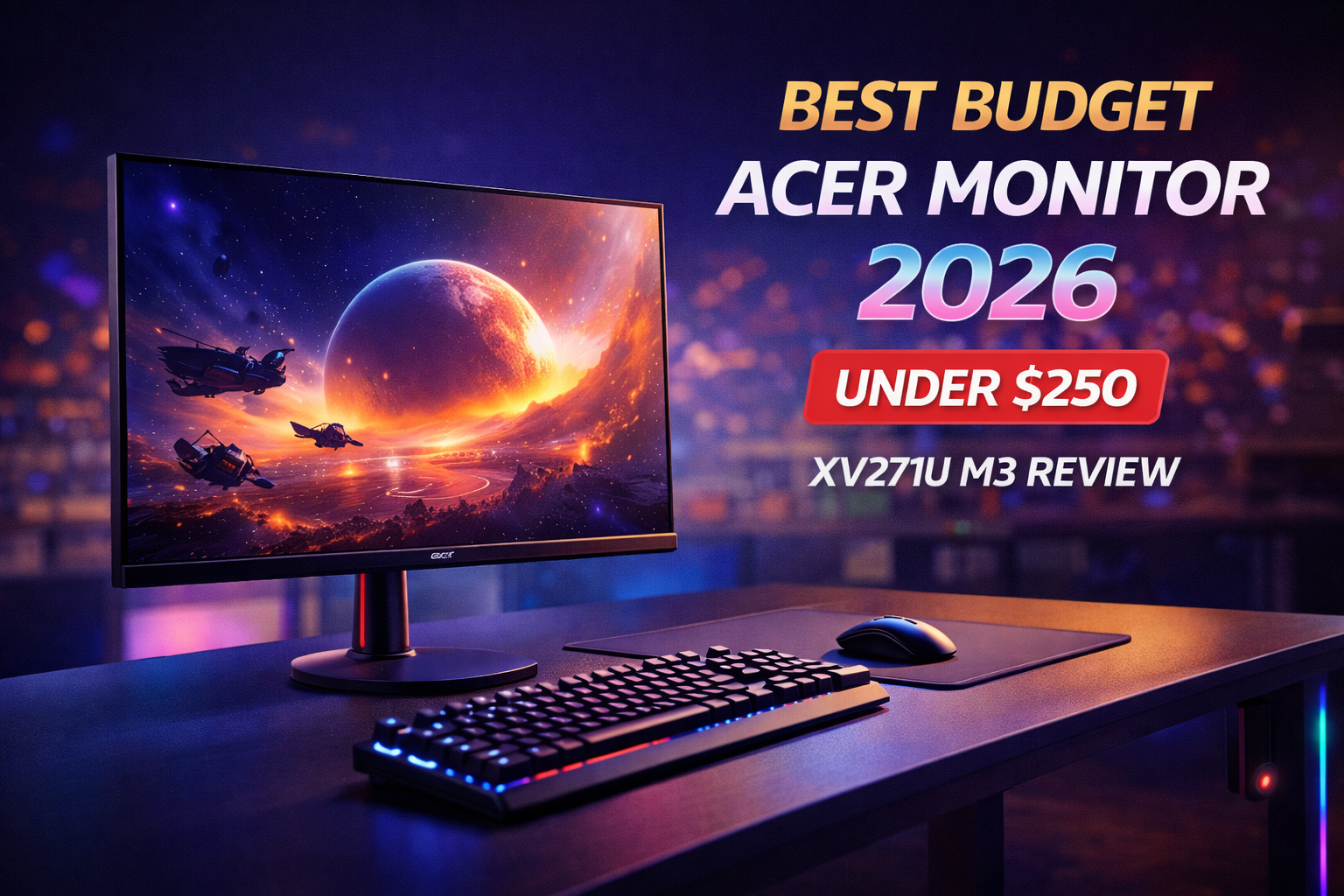
You don’t need to spend a small fortune for a proper 1440p gaming experience. The Acer XV271U M3 packs a 27″ 180Hz IPS panel with FreeSync into a sleek, fully-adjustable design—all for well under $200. It’s exactly the kind of smart, budget-friendly gear GameZHaven is all about. If you’re ready to leave 1080p behind without emptying your wallet, this monitor deserves a spot at the top of your list.
Quick Specs
| Feature | Spec |
|---|---|
| Screen Size | 27″ |
| Resolution | 2560 x 1440 (QHD / 2K) |
| Refresh Rate | 180Hz |
| Response Time | 1ms (GtG) |
| Panel Type | IPS (AHVA) |
| Brightness | 250 nits |
| Color Gamut | 95% DCI-P3 / ~130% sRGB |
| Sync Tech | AMD FreeSync Premium |
| Ports | 2x HDMI 2.0, 1x DisplayPort 1.2, Audio Out |
| Stand | Height-adjustable, tilt, swivel |
| VESA Mount | 100 x 100 mm |
Acer Nitro XV271U M3 Review – The Smart Upgrade
Design & Build Quality
Acer gave the XV271U M3 a clean, minimalist look without the usual aggressive “gamer” styling. The matte black finish and thin bezels on three sides give it a modern, almost professional feel that blends in easily on any desk. It doesn’t scream “gaming” from across the room, which is a nice bonus if you also use your setup for work.
One of the biggest surprises at this price point is the fully ergonomic stand. You get height adjustment, tilt, and swivel functionality—features usually reserved for much more expensive monitors. If you prefer using a monitor arm, it also has standard 100 x 100mm VESA mounting holes.
Image Quality: The 1440p Advantage
The jump from 1080p to 1440p is a genuine game-changer. On a 27-inch screen, you get about 80% more pixels than a standard 1080p display. Text looks crisp, game worlds feel more detailed, and you’ll have plenty of screen real estate for work or content creation.
The IPS panel delivers vibrant, consistent colors with wide 178-degree viewing angles, so the image remains accurate even when looking at the screen from the side. With 95% DCI-P3 color coverage (roughly 130% sRGB volume), colors pop right out of the box without needing to tweak a bunch of settings. If the extra saturation bothers you for certain tasks, the sRGB mode quickly dials things back to a more accurate profile.
Performance: Speed That Keeps Up
The 180Hz refresh rate combined with a 1ms response time delivers a very smooth, responsive gaming experience. Fast camera pans, chaotic firefights, and quick flicks all feel fluid and sharp.
To hit the full 180Hz, you’ll need to use the DisplayPort connection—HDMI 2.0 tops out at 144Hz at 1440p. The monitor also supports AMD FreeSync Premium, which syncs the screen’s refresh rate with your graphics card to eliminate screen tearing and stuttering. This feature works flawlessly with both AMD and NVIDIA cards (via the “G-Sync Compatible” mode).
Brightness and HDR: Know the Trade-Off
The monitor’s 250-nit peak brightness is on the lower side for a modern display. Under normal indoor lighting, it’s perfectly adequate, but it may struggle in very bright rooms with direct sunlight or studio lighting.
The XV271U M3 also supports HDR, but with only 250 nits and no local dimming, the HDR effect is minimal. You’ll get slightly better color gradient handling, but don’t expect the dramatic highlights and deep blacks of a proper HDR display. At this price, that’s a trade-off you’ll likely be happy to accept.
Connectivity
The port selection is straightforward:
-
2x HDMI 2.0 (supports up to 144Hz at 1440p)
-
1x DisplayPort 1.2 (supports the full 180Hz)
-
Audio Out for external speakers or headphones
There are no USB ports, which is common for monitors at this price. The built-in speakers are functional but basic—perfect for a system beep or an emergency YouTube video, but you’ll definitely want to use headphones or external speakers for gaming.
Buyer’s Guide: Is This Monitor for You?
Yes, buy it if you:
-
Want to upgrade from 1080p to a sharp 1440p display on a tight budget.
-
Play fast-paced games like shooters, racing games, or MOBAs where the high refresh rate makes a real difference.
-
Appreciate an ergonomic stand with height, tilt, and swivel adjustments.
-
Prefer a clean, understated design that works for both gaming and productivity.
-
Want a wide color gamut and great viewing angles for media consumption and light creative work.
Skip it if you:
-
Need a very bright monitor for a sun-drenched room—look for a model with 350 nits or higher.
-
Want a true HDR experience – you’ll need to spend significantly more on a Mini-LED or OLED display.
-
Are a professional esports player who needs a 360Hz+ panel (but you’re probably not on a $200 budget).
Pros & Cons
| Pros | Cons |
|---|---|
| Incredible value: 1440p, 180Hz, IPS under $200 | Lower 250-nit peak brightness |
| Fully adjustable ergonomic stand | HDR performance is lackluster |
| Vibrant 95% DCI-P3 color gamut | No USB ports on the monitor |
| Clean, professional design | Built-in speakers are basic |
| AMD FreeSync works with NVIDIA cards |
Final Verdict
The Acer XV271U M3 isn’t trying to be the fastest or the brightest monitor on the market. Instead, it focuses on delivering the core features that matter most to the vast majority of gamers: a sharp 1440p resolution, a fluid 180Hz refresh rate, and a vibrant IPS panel—all wrapped in a clean, functional design.
At well under $200, it offers incredible value and is the perfect gateway into high-refresh-rate 1440p gaming. The low brightness is a trade-off you accept at this price, but for the target audience of budget-conscious gamers, it’s a compromise well worth making. If you want to dramatically level up your visual experience without breaking the bank, the XV271U M3 is one of the smartest buys of 2026.
Check Acer XV271U M3 price on Amazon
If you’d like to see a more affordable alternative, check out our KOORUI budget gaming monitor review for a great value pick under $200.