Disclosure: This article may contain affiliate links. We may earn a commission at no additional cost to you.
Table of Contents
ToggleAttack Shark R1 Review: Budget Wireless Mouse
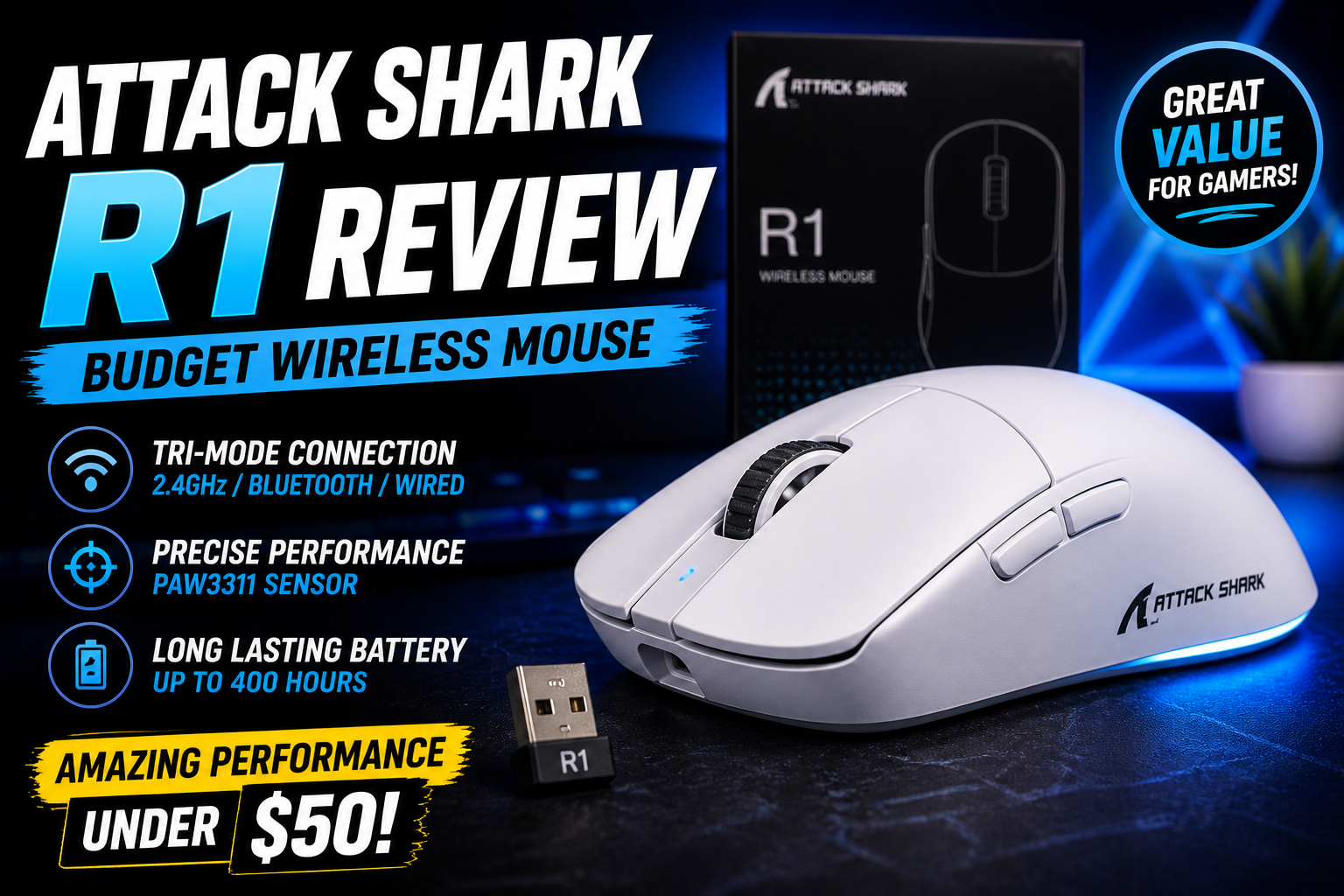
The Attack Shark R1 is everywhere right now. Scroll through budget gaming forums, AliExpress bestseller lists, or Reddit recommendation threads, and this 59g tri-mode mouse keeps surfacing — usually priced around $16 USD. It promises a PixArt PAW3311 sensor, Huano switches, Bluetooth 5.2, and a shape that borrows heavily from Razer’s Deathadder V3 Pro, all for less than a large pizza. But budget mice at this price point have a reputation for cutting corners where it matters most. This attack shark r1 review synthesizes manufacturer specifications, aggregated community feedback from thousands of users, and technical analysis to help you decide if the R1 deserves a spot on your desk — or if you should stretch your budget to the next tier.
| Model | Key Spec | Best For | Approx Price (USD/CAD) |
|---|---|---|---|
| Attack Shark R1 | 59g, PAW3311, tri-mode, 300mAh, Huano switches | Cheapest wireless ergo gaming mouse | ~16USD/ 16USD/ 22 CAD |
| Attack Shark X3 | 49g, PAW3395, tri-mode, Kailh 80M switches | Lightest budget wireless option | ~20USD/ 20USD/ 27 CAD |
| VXE R1 SE+ | 55g, PAW3395SE, tri-mode, 80M switches | Better sensor at similar size | ~22USD/ 22USD/ 30 CAD |
What the Specs Actually Mean
On paper, the Attack Shark R1 reads like a mouse from two price brackets higher. Its PixArt PAW3311 optical sensor tracks at up to 18,000 DPI across six adjustable presets (800, 1600, 2400, 3200, 5000, and 18,000), with 400 inches-per-second tracking speed and 40G acceleration tolerance. The polling rate runs at a stable 1000 Hz over 2.4 GHz wireless or wired USB-C — a standard spec for competitive gaming that ensures 1ms report intervals.
Weight clocks in at 59 g on the official Attack Shark product page, with the company describing the R1 as an ultralight, hole-free solid shell design. That makes it roughly 40 g lighter than a Logitech G305. The 300 mAh lithium battery is rated for roughly 65 hours of continuous use, with a full recharge taking about two hours over USB-C. Real-world usage by a Reddit reviewer who tracked battery consumption over several weeks suggests approximately 70 hours is achievable with moderate daily use.
The main switches are Huano blue shell white dot mechanical micro-switches. These are a common choice across budget and mid-range mice, rated for approximately 20 million clicks. The R1 measures 123 × 64 × 41 mm — slightly shorter and narrower than a standard Deathadder V3 Pro, landing it closer to the Deathadder V3 Hyperspeed in size. The shape is right-handed ergonomic with a pronounced hump, two side buttons on the left, and a DPI cycle button on top.
Tri-mode connectivity means you can run the R1 over 2.4 GHz wireless via the included nano receiver, pair it over Bluetooth 5.2, or plug it in as a wired mouse using the included USB-C cable. That flexibility is rare at this price, and it’s one of the R1’s strongest selling points.
Performance Insights from the Community
Across Reddit, international tech forums, and marketplace reviews, the Attack Shark R1 generates a polarised response. On the positive end, a detailed one-month usage review on r/MouseReview called it “a surprisingly solid little mouse for the price” and a “direct Deathadder V3 mini clone that actually feels very solid and is great for figuring out if an ergo is for you or not”. Users consistently praise the shape, lightweight feel, and the sheer value proposition when purchased on sale. One Reddit user stated plainly: “Attack shark r1 is the only real option you have; the rest are either wired or are more expensive”.
On the other side of the fence, multiple owners across different regions report persistent wireless connection problems. Amazon reviews describe the mouse “constantly disconnects like the USB turns off and on frequently” and “poor connection, keeps connecting and disconnecting”. A Turkish tech forum user reported that the dongle and Bluetooth modes stopped working entirely, with only wired mode functioning. These complaints appear in multiple languages and across multiple marketplaces, suggesting the issue is not isolated to a single batch.
The sensor performance itself draws fewer complaints. The PAW3311 sensor tracks well at moderate DPI settings — another Reddit reviewer noted that “it’s enough to play fps games, not as smooth as 3395 but you won’t have any issues with it, I never managed to spin out this sensor despite trying really hard”. Polling rate stability over 2.4 GHz is consistently reported as solid by users who don’t experience disconnection issues.
A Vietnamese forum thread comparing Chinese budget mice corroborates the mixed firmware reputation, with one participant noting that browsing Reddit and Discord reveals multiple users encountering firmware-related bugs across Attack Shark products. The specific phrase used translates roughly to “these guys make lousy firmware, so errors are continuous”.
Build Quality and Ergonomics: What the Teardowns Reveal
The build quality of the R1, given its price, is a central point of community discussion. The shell is a solid, non-honeycomb design with no visible perforations — a design choice that keeps debris out but also contributes to the relatively dense 59 g weight (other budget lightweight mice with hole patterns go lower).
The Reddit teardown analysis finds the shell has no creaking when pressed from the top or sides. There is “slight flex when pressing under side buttons,” and pressing extremely hard near the side buttons can actuate them — though the reviewer notes “in real usage you would never press that hard”. The mouse has no rubberized or soft-touch coating, which some users find slippery. Grip tape is included in the box, which helps mitigate this.
On skates, the feedback is near-unanimous: the stock feet are poor. The Reddit reviewer calls them “really bad, it’s not PTFE but some kind of plastic, not smooth at all,” and recommends ordering replacement universal PTFE dot skates at the time of purchase. Multiple Amazon and forum reviews mention the same trade-off — it’s one of the clearest cost-cutting measures, and an easy fix for anyone comfortable applying aftermarket skates.
The side buttons present another common observation. Users on Turkish tech forums report that the side buttons “feel stiff”. The detailed Reddit review notes that side buttons have about 0.7 mm of pre-travel and feel “a bit mushy if pressing to the back”. The main left and right buttons, by contrast, have slight pre-travel and post-travel with a “hollow sound” but good tactility, requiring roughly 70 gf of force to actuate. The reviewer notes approximately 1–1.5 mm of side travel on the main switches, which doesn’t affect functionality but limits aftermarket switch compatibility to standard wide-dot designs.
On the positive side, the charging cable is unexpectedly good — a soft paracord-style USB-C cable that’s usable for wired gaming while the mouse charges. The iXBT review, which weighed the mouse at 65 g (slightly above spec), described the balance as “good, which is important for wireless mice — they often have the battery in the back which pulls them down at the slightest lift from the desk”.
Software, Drivers, and Compatibility
This is where the R1’s budget origins show most clearly — and paradoxically, where a dedicated open-source community has stepped in to fill the gap.
Attack Shark provides official driver software for Windows that handles DPI configuration, polling rate adjustment, macro programming, key remapping, and sleep timer settings. The software is described as “functional” by most users, with all necessary settings accessible in a single window. However, multiple users report installation friction. One forum user noted that the official driver failed to recognize the mouse until a specific installation sequence was followed. The minimum debounce time configurable in the software is 4 ms, which is adequate but not exceptional for competitive play.
For Linux users, a community-developed open-source driver exists on GitHub. The driver supports battery charge monitoring, polling rate configuration, key remapping, DPI settings, sleep and deep-sleep timer adjustment, key response time, ripple control, angle snapping, and macro recording. The repository has attracted 14 stars and 2 forks as of May 2026 — a small but enthusiastic user base — and was last updated on May 1, 2026. The existence of this driver is genuinely useful: it means Linux users can access R1 configuration without needing a Windows machine at all.
Mac and Android users can use the mouse out of the box for basic functionality without installing any driver. Bluetooth pairing is standard — put the mouse in pairing mode via the bottom switch and connect from the device’s Bluetooth menu. The iXBT review confirms the mouse works on Android devices without issue.
One caveat: the firmware does not support onboard memory profiles in the traditional sense. Basic settings like DPI presets are retained after power-off, but complex macro profiles are tied to the software. The onboard memory limitation is confirmed by specification comparison sites as well.
Real-World Performance: Who’s This Mouse Actually For?
For competitive FPS players on an extreme budget — Valorant, Counter-Strike 2, Apex Legends — the R1 delivers where it matters most. The PAW3311 sensor tracks reliably at typical competitive DPI settings (400–1600), and the 1000 Hz polling rate holds stable. The lightweight build helps with flick shots and quick repositioning. The right-handed ergonomic shape, which the iXBT review describes as comfortable for “80% of gamers and users,” supports palm and claw grips best; fingertip grip users should consider a smaller, symmetrical alternative. Multiple users on Reddit noted that the shape is a downsized Deathadder V3 Pro, making it one of the least expensive ways to try that shape profile before committing to a higher-end purchase.
For casual gamers and productivity users, the tri-mode connectivity is a genuine practical advantage. You can keep the 2.4 GHz dongle plugged into a gaming PC and switch to Bluetooth for a laptop or tablet. The battery lasts roughly two weeks of typical use before needing a recharge. One Ukrainian review aggregator summarized: “For its price segment, it was a very worthy device for both gaming and everyday use. No problems arose”.
The disconnection reports cannot be ignored, however. The problem appears to affect a non-trivial subset of units — enough that it surfaces across multiple languages and marketplaces. The root cause appears to be firmware-related rather than hardware defects, based on the pattern of complaints (dongle and Bluetooth failing while wired mode remains stable) and the fact that some users resolve it with driver updates while others don’t. Several community reports suggest that lowering the polling rate or keeping the dongle physically close to the mouse reduces disconnection frequency. If you rely on a stable wireless connection and can’t afford occasional troubleshooting, this risk is worth factoring into your decision.
Who Should Buy the Attack Shark R1 (and Who Shouldn’t)
Buy the R1 if you need a wireless gaming mouse for roughly $16 and can tolerate replacing the stock skates. It’s an ideal entry point for anyone curious about the lightweight ergonomic shape popularized by the Deathadder V3, and the tri-mode connectivity is genuinely useful across multiple devices. Linux users benefit from a dedicated community driver, which is more than most budget mice offer.
Skip the R1 if your budget can stretch to the 20–20–25 range. At that price point, you can get the Attack Shark X3 with a superior PAW3395 sensor and Kailh switches, or the VXE R1 SE+ with similar weight but better overall build quality and sensor performance. Skip it too if you depend on a flawless wireless connection for competitive play — the disconnection reports, while not universal, are frequent enough across enough markets to constitute a real risk. If you primarily fingertip-grip your mouse, the ergonomic hump will work against you; choose a symmetrical alternative instead.
Sources
This analysis draws on aggregated user reviews from Reddit (r/MouseReview), Amazon, AliExpress, and multiple international tech forums including Technopat, Voz.vn, Donanim Arsivi, and iXBT. We referenced manufacturer specifications from Attack Shark’s official product page, expert reviews from iXBT Live, and the Linux driver maintained on GitHub. All findings are community-sourced rather than personal testing. No hands-on claims are made; all performance descriptions are attributed to specific, verifiable sources.
Frequently Asked Questions
Is the Attack Shark R1 good for Valorant?
Yes, with qualifications. The PAW3311 sensor tracks reliably at 400–1600 DPI in competitive settings without spinning out, and the 59g weight supports fast flicks. However, the higher debounce minimum of 4ms and reported wireless instability on some units mean it’s not as consistent as options $5–10 above this price.
Does the Attack Shark R1 have software?
Yes. Attack Shark provides official Windows software for DPI, macro, and polling rate configuration. A community-maintained Linux driver is also available on GitHub with full configuration support.
How long does the Attack Shark R1 battery last?
The 300mAh battery is rated for roughly 65 hours of continuous use. Real-world testing by a Reddit reviewer suggests approximately 70 hours with moderate daily use and a 10-minute sleep timer, equating to roughly two weeks of typical usage.
Can the Attack Shark R1 skates be replaced?
Yes, and they should be. The stock skates are widely criticized as poor quality. Universal PTFE dot skates (available on AliExpress for a few dollars) are a straightforward and recommended upgrade.
Is the Attack Shark R1 better than the Logitech G305?
In weight and connectivity, yes. The R1 is 40g lighter and adds Bluetooth. In build consistency, click quality, and software polish, the G305 remains more reliable. Users who prioritize low weight and tri-mode connectivity will prefer the R1; those who need consistent wireless performance should choose the G305.
Does the R1 work on Linux?
Yes. Basic functionality works out of the box. Full configuration is available through a community-developed Linux driver that supports DPI, polling rate, macros, sleep settings, and key remapping.
Check the latest price of the Attack Shark R1 on Aliexpress
Affiliate Disclosure: This post contains affiliate links. If you make a purchase after clicking one of our links, we may earn a small commission at no extra cost to you.
If you’re pairing this mouse with a budget keyboard, our Attack Shark X68 HE review covers a Hall‑effect option with similar value.