Disclosure: This article may contain affiliate links. We may earn a commission at no additional cost to you.
Table of Contents
ToggleAttack Shark X68 HE Review: Budget Magnetic Keyboard
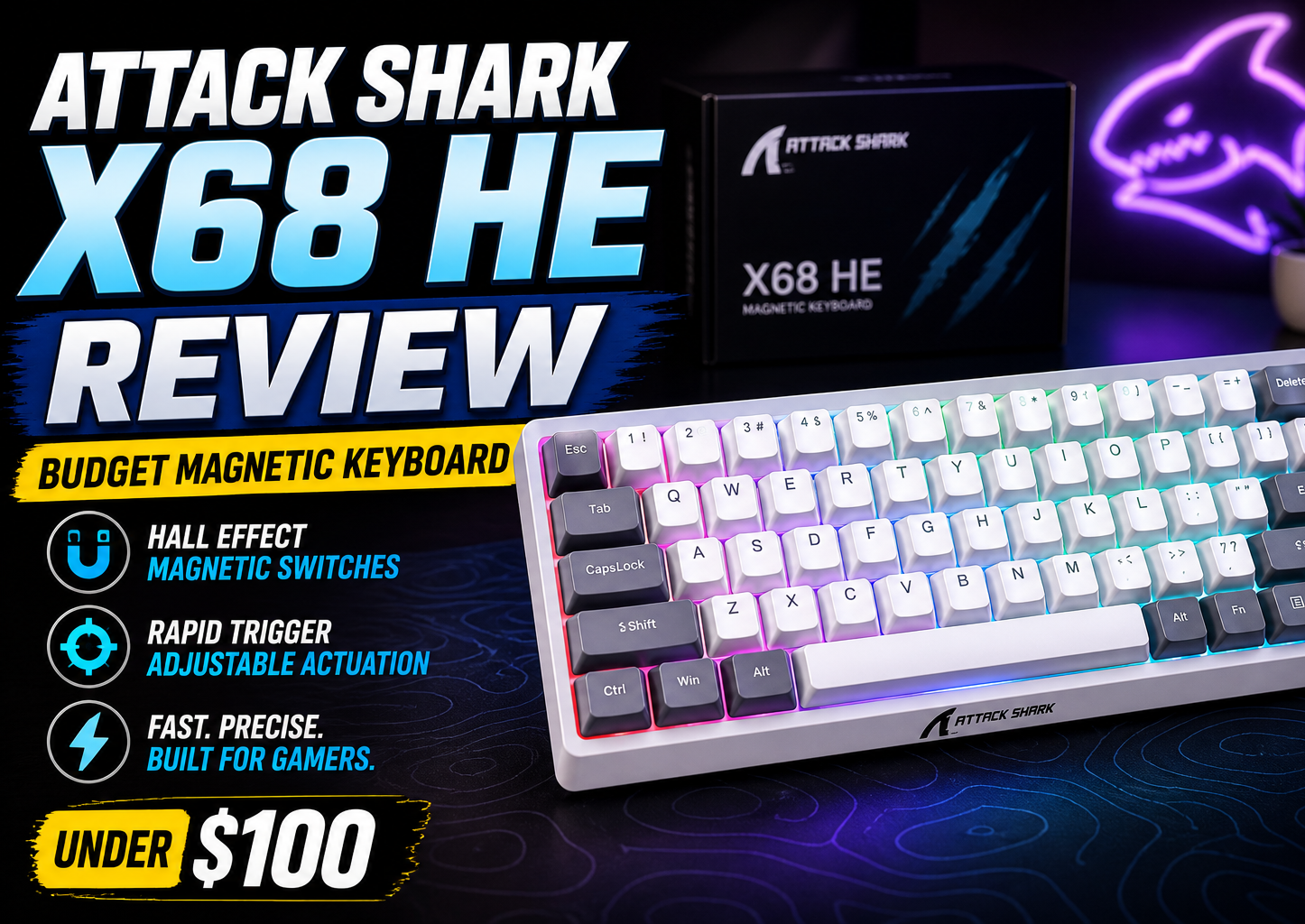
The Attack Shark X68 HE is one of the most talked-about budget magnetic keyboards this year — and for good reason. It brings 8000 Hz polling, Rapid Trigger, and per-key adjustable actuation into a compact 60% frame at a price that undercuts most competitors by a wide margin. This attack shark keyboard review covers what matters: real specs, honest trade-offs, and whether the X68 HE belongs on your desk if you’re a competitive gamer on a budget. No fluff, just what you need before spending your money.
| Model | Key Spec | Best For | Approx Price (USD/CAD) |
|---|---|---|---|
| Attack Shark X68 HE | 8000 Hz, 0.125 ms, 0.1–3.4 mm actuation, 60% wired | Competitive FPS on a budget | ~$50 USD / ~$68 CAD |
| Redragon K617 Hall Effect | 8000 Hz, adjustable actuation, 60% wired | Strict budget competitive play | ~$45 USD / ~$60 CAD |
| Royal Kludge RK61 Hall Effect | 8000 Hz, 0.5–3.8 mm actuation, 60% wireless | Wireless competitive gaming | ~$55 USD / ~$75 CAD |
Design and Build Quality
The X68 HE uses a 60% layout with 66 keys — you get alphanumeric keys, modifiers, and a few navigation shortcuts squeezed into a compact frame that frees up serious desk space for wide mouse swipes. Unlike many budget Hall-effect boards that cut corners with plastic cases, Attack Shark went with an aluminum plate and top case, giving the keyboard a rigid, stable feel that stays planted during tense matches. The whole thing weighs roughly 850 g, so it’s hefty for a 60% board.
Four anti-slip rubber pads on the bottom keep it from skidding, though there are no fold-out feet — the typing angle is fixed and fairly low. One clever touch: a small integrated tab on the left side that holds the included yellow transport strap, which is handy if you move your keyboard between setups or bring it to LAN events. The USB-C port sits on the rear alongside a physical toggle switch for switching between Windows and Mac layouts on the fly.
The keycaps are double-shot PBT with a distinctive design — the legends are printed on the front-facing side, leaving the top surface clean with a subtle contour pattern. South-facing RGB LEDs shine through that pattern when the lights are on. PBT means they’ll resist shine and won’t fade over years of use.
Switches and Typing Feel
Under the keycaps sit Attack Shark’s own magnetic Hall-effect switches — linear, with a 40±5 gf actuation force and a rated lifespan of 100 million clicks. The feel is smooth from top to bottom, with no tactile bump or click. Actuation is light enough for fast repeated presses without being so light that you accidentally trigger keys while resting your fingers.
What sets these switches apart from standard mechanical ones is the magnetic sensing. There are no metal leaf contacts to wear down or introduce debounce delay — the Hall-effect sensor tracks the exact magnet position in real time, and the keyboard’s firmware uses that data to determine when a key is pressed and released. This is the same technology that we covered in our guide on what is a rapid trigger keyboard, but the short version is this: magnetic switches let the X68 HE do things no mechanical board can. The board is hot-swappable with other magnetic switches like Magnetic Jade or Magnetic Jade Pro, provided they’re listed as compatible in the software.
Rapid Trigger and Performance Features
The headline spec is 8000 Hz polling paired with a 128 kHz scan rate — meaning the keyboard reports to your PC 8000 times per second and scans the key matrix at 128,000 times per second. Theoretical latency sits at 0.125 ms, which is roughly eight times faster than a standard 1000 Hz gaming keyboard.
Rapid Trigger is the feature that matters most for competitive play. Keys activate and reset mid-motion without needing to travel back to a fixed release point. The sensitivity is fine — 0.01 mm — so even the slightest upward movement cuts the input, letting you tap keys faster for counter-strafing, quick peeks, and rapid direction changes. You can also set per-key actuation points anywhere from 0.1 mm to 3.4 mm, in 0.01 mm steps. That means you can run ultra-short actuation on your movement keys for instant response, while keeping deeper actuation on keys you don’t want to accidentally press.
Two additional features round out the package. Snap Tap (also called Last Keystroke Prioritization) ensures that when you press two opposite directional keys at the same time, only the most recent input registers — eliminating movement dead zones during rapid direction switches. Dynamic Keystrokes (DKS) lets you bind up to four different actions to a single key based on how far you press it down, which can simplify complex ability combos or macros.
Software and Customization
Attack Shark offers both a web-based driver (accessible at qmk.top) and a downloadable desktop version. The web driver handles everything: per-key actuation points, Rapid Trigger sensitivity, RGB lighting with over 20 modes and 9 colors, macro recording, key remapping, and DKS configuration.
All settings save directly to the keyboard’s onboard memory, so you can configure your setup once and never run the software again — your profiles travel with the board. This is a real advantage if you switch between computers frequently or use the keyboard on a machine where you can’t install drivers.
One thing to know: the web driver uses “QMK” in its branding, but it is not actually QMK firmware. The software is proprietary and closed-source. If you rely on open-source firmware features like QMK or VIA for complex customizations, this board won’t support them. For most users who just want to set actuation points, tweak RGB, and move on, the web driver is clean and functional.
Real-World Gaming: Valorant, CS2, and More
In competitive shooters like Valorant and Counter-Strike 2, the X68 HE makes its value clear. Counter-strafing feels snappier with Rapid Trigger cutting the reset distance to near zero — you can tap A and D faster with less mechanical lag between direction switches. The 8000 Hz polling rate is genuinely noticeable in these scenarios, especially compared to 1000 Hz boards where micro-movements can blur together.
Snap Tap is particularly useful for games that demand perfect movement transitions. If you’re jiggle-peeking or clearing angles with short strafes, the keyboard prioritizes the latest directional press instantly — no more mushy overlap where neither key seems to register.
The 60% layout is a strength here. Less keyboard means more room for low-DPI mouse movements, which is exactly what tactical shooter players want. The trade-off is that you’ll rely on the FN layer for function keys, media controls, and some navigation shortcuts — fine for gaming, less convenient for productivity.
What Could Be Better
No keyboard at this price is perfect. The stabilizers on larger keys — mainly the spacebar and enter — have some rattle out of the box. It’s not deal-breaking, but if you’re sensitive to stabilizer noise, budget an extra 15 minutes and some lube for a quick mod. The fixed typing angle may also feel flat if you’re used to a steeper incline, since there are no adjustable feet.
The proprietary software is capable but limiting for enthusiasts who want open-source firmware. And while the 60% form factor is great for gaming, it can frustrate anyone who frequently uses arrow keys for productivity work.
Buyer’s Guide: Is the X68 HE Right for You?
If you play competitive shooters daily — Valorant, CS2, Apex Legends — and want Rapid Trigger without spending $100+, the X68 HE is an easy recommendation. You get the core technology (magnetic switches, per-key actuation, 8000 Hz polling) that flagship boards offer, at roughly half the price. The aluminum build, onboard memory, and web-based software push it ahead of most budget alternatives.
If you mostly play single-player games, do a lot of typing, or need wireless connectivity, look elsewhere. A standard mechanical keyboard with a comfortable switch weight will serve you better, and wireless Hall-effect options like the Royal Kludge RK61 HE start around the same price. Casual gamers simply don’t benefit enough from Rapid Trigger to justify the wired-only constraint and the 60% layout’s learning curve.
Check warranty terms before buying — Attack Shark offers a 12-month warranty and 15-day return policy through its official site and authorized resellers. This is worth verifying for your region, since budget brands can have gaps in after-sales support.
Frequently Asked Questions
Is the Attack Shark X68 HE good for Valorant?
Yes. The Rapid Trigger and 8000 Hz polling rate make it well-suited for Valorant, where fast counter-strafing and quick peeks depend on responsive inputs. Snap Tap also helps with clean directional transitions during gunfights.
Can the X68 HE switches be replaced?
Yes. The board is hot-swappable with compatible magnetic switches, including Magnetic Jade and Magnetic Jade Pro. Check the software interface for a full compatibility list before purchasing aftermarket switches.
Does the X68 HE work on Mac?
Yes. A physical toggle switch on the rear of the keyboard switches between Windows and Mac layouts. The web driver also supports Mac configuration.
Is the software required to run in the background?
No. All settings save directly to the keyboard’s onboard memory. You can configure your preferences once through the web driver and never open it again — your profiles stay on the board.
What’s the difference between Rapid Trigger and Snap Tap?
Rapid Trigger removes the fixed reset distance on individual keys, letting them reactivate instantly on the upstroke. Snap Tap prioritizes the latest press between two keys (typically A and D), preventing overlapping directional inputs. Both features work together.
How does the X68 HE compare to the Wooting 60HE?
The Wooting 60HE offers analog input, open-source firmware support, and a more refined software ecosystem. The X68 HE matches or exceeds it on raw specs (8000 Hz vs 1000 Hz polling) at a fraction of the price, but lacks the Wooting’s software flexibility and community tools.
Ready to try the Attack Shark X68 HE? Check the latest price on Amazon.
If you’re new to Hall‑effect keyboards, our Rapid Trigger guide explains the difference between Hall-effect keyboards and other types of keyboards.